 Loading Please Wait...
Loading Please Wait...
Loading Please Wait...
The way most people use AI is to write a single prompt and wait for a single answer.
For example, a freelancer might ask Claude:
"Draft a project plan for my client."
Claude creates a plan. But maybe it is too general. Then the user asks:
“Make it more detailed.”
Then:
“Add deadlines.”
Then:
“Make it client-friendly.”
This works, but the human still has to guide every improvement manually. The user continuously checks, corrects, and prompts.
This is where Claude looping becomes useful.
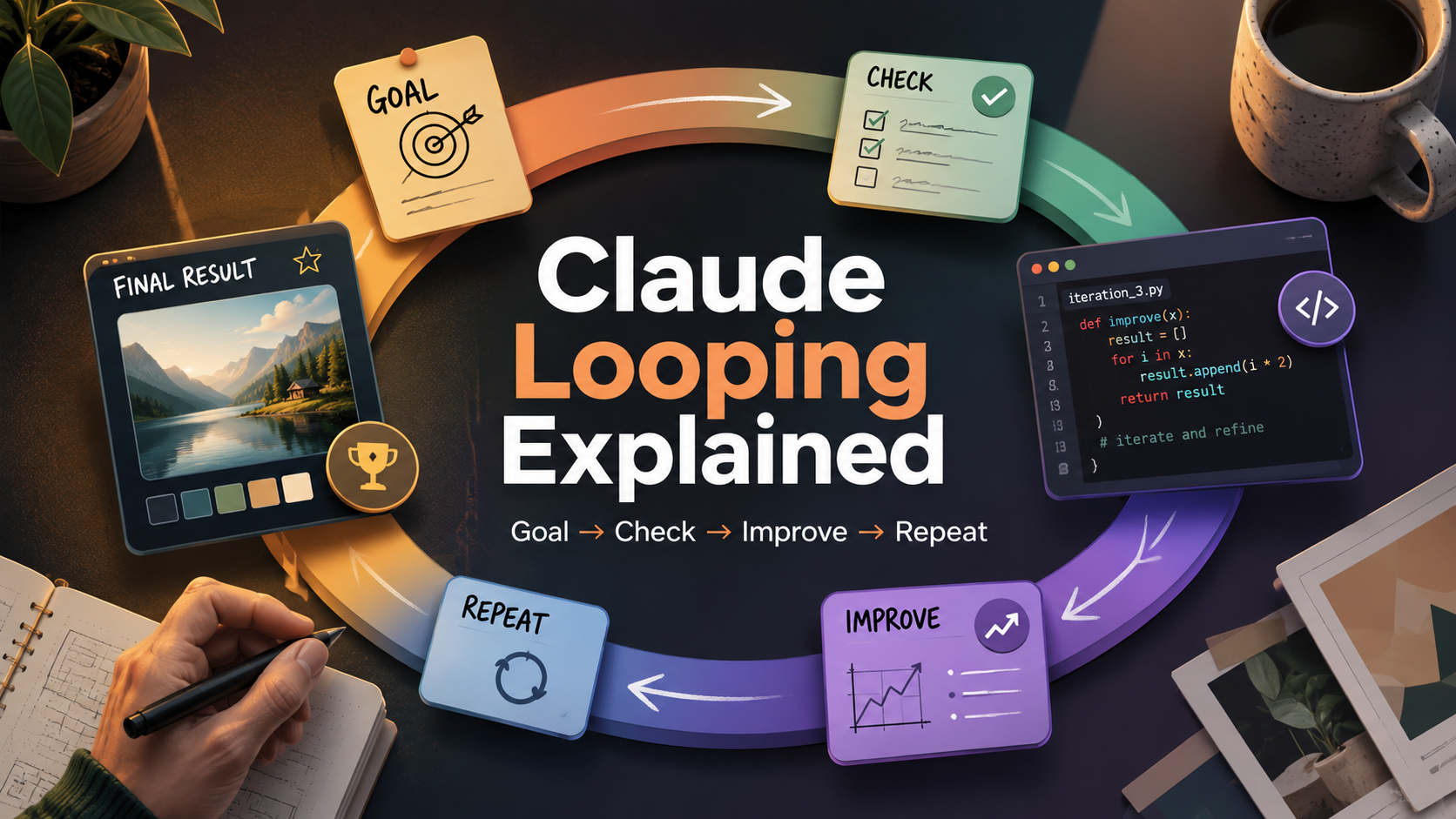
Claude looping means giving Claude a clear goal and a repeatable process. Instead of asking once, you set up a loop in which Claude works, checks, improves, and repeats until the result is stronger.
In simple words, the future of AI is not only about writing better prompts. It is about building better loops.
Claude looping is a method where Claude follows repeated steps to achieve a goal.
The basic loop looks like this:
Goal → Work → Check → Improve → Repeat → Final Result
Let’s say your goal is:
“Create a complete launch plan for a new product.”
A normal prompt may give you one plan. But a loop can do more.
Claude can first create the launch plan. Then it can check if the plan is realistic. Then it can find missing steps. Then it can improve the timeline. Then it can add marketing ideas, risks, and final action steps.
This is the main idea behind looping. You are not just asking Claude for an answer. You are giving Claude a process.
Anthropic’s Claude Code Agent SDK is described as giving developers access to the same “agent loop” and context management that power Claude Code, which shows how modern AI workflows are moving beyond one-time prompts.
To understand Claude looping, compare it with normal prompting.
Prompting means asking AI one thing at a time.
Example:
“Write a cold email for my service.”
Claude gives one answer. If it sounds weak, you manually ask for changes.
Looping means giving Claude a goal and an improvement process.
Example:
“Write a cold email for my service. Then check if it is clear, short, persuasive, and human-sounding. Improve it for three rounds and give me the best final version.”
The difference is simple.
Prompting depends on the user to improve the result again and again.
Looping gives Claude a system to improve the result step by step.
Prompting is like saying:
“Do this task.”
Looping is like saying:
“Do this task, check your work, fix the weak parts, and repeat until it becomes good.”
That is why looping is useful for client projects, coding, image prompts, research, automation, content creation, and business workflows.
For a long time, people talked about prompt engineering. Prompt engineering means learning how to write better instructions for AI.
But now, people are also talking about loop engineering.
Loop engineering means designing a process where AI keeps working toward a goal through repeated steps.
Addy Osmani describes loop engineering as designing systems that prompt agents, instead of manually prompting agents one step at a time. He also highlights comments from Boris Cherny, head of Claude Code, about using loops that prompt Claude and decide what to do next.
This shows an important shift.
In the old way, the human writes every prompt.
In the new way, the human designs the goal, rules, and loop.
The AI handles more of the repeated work, while the human focuses on direction, judgment, and final review.
Imagine you need to create a project plan for a client website.
A normal prompt would be:
“Create a website project plan.”
A better looping prompt would be:
Your goal is to create a practical website project plan for a client.
Follow this loop:
This loop is better because Claude does not stop after giving one basic plan. It checks whether the plan is useful, complete, and easy to explain to a real client.
This is helpful for freelancers, agencies, consultants, startup founders, and project managers.
Claude looping is very useful for coding because coding usually needs testing, debugging, and improvement.
A normal prompt would be:
“Create a login page.”
A looping prompt would be:
Create a simple login page.
Follow this loop:
This is stronger because coding is not only about writing code once. Good coding includes checking errors, improving structure, and making the code easier to understand.
This is also why looping fits naturally with agentic coding tools like Claude Code. Anthropic describes Claude Code as an agentic coding tool that can work with codebases and development workflows.
For beginners, the idea is simple:
A coding prompt gives code.
A coding loop gives code, checks it, improves it, and explains it.
Looping is also useful for image generation.
Many people write one image prompt and feel disappointed because the result does not match what they imagined.
A normal image prompt may be:
“Create a futuristic office.”
But this is too general.
A better looping prompt would be:
Your goal is to create a strong image-generation prompt for a futuristic office.
Follow this loop:
The final prompt may become:
“A modern futuristic office with glass walls, soft blue lighting, AI-powered workstations, city skyline view, cinematic wide-angle shot, realistic details, clean professional atmosphere.”
That is much stronger than simply saying:
“Futuristic office.”
Looping helps turn a weak idea into a clear visual direction.
Claude looping can also help when you need to understand a topic before making a decision.
A normal prompt would be:
“Research the best CRM tools.”
A looping prompt would be:
Help me compare CRM tools for a small business.
Follow this loop:
This is useful because research is not just about collecting information. Good research also needs comparison, filtering, checking, and decision-making.
A loop helps Claude move from raw information to a useful conclusion.
Claude looping has many benefits.
First, it improves quality. Claude does not stop at the first answer. It reviews and improves the result.
Second, it saves effort. The user does not need to keep writing new prompts again and again.
Third, it creates consistency. If you use the same loop, you can get a similar quality process every time.
Fourth, it is useful for real work. Client projects, coding tasks, image prompts, research, business plans, and workflow automation usually need multiple rounds of improvement.
Fifth, it helps Claude self-correct. Claude can check its output, find weak parts, and improve before giving the final result.
Anthropic has also explained that effective agentic systems often work best when they are built with simple, composable patterns instead of unnecessary complexity.
A single prompt gives one answer.
A loop creates a process.
That process is what makes the final result stronger.
Claude looping is powerful, but it is not perfect.
The first risk is an unclear goal. If the goal is weak, the loop may improve the wrong thing.
For example:
“Make this better.”
This is too vague. Better for what? Better for clients, users, conversions, design, speed, clarity, or accuracy?
The second risk is too much looping. Claude may keep changing small details without adding real value.
That is why every loop needs a stopping rule.
Good stopping rules include:
“Stop after 3 rounds.”
“Stop when the result is clear and practical.”
“Stop when the final answer is ready for a client.”
“Stop when the output is under 1200 words.”
The third risk is overtrusting AI. Claude can review and improve its own work, but humans should still check important outputs.
Looping does not remove the human. It changes the human’s role.
The human becomes the goal-setter, loop designer, and final reviewer.
Claude looping is a simple but powerful idea.
Instead of asking Claude one question and hoping for the best answer, you give Claude a goal and a process. Claude then works, checks, improves, and repeats until the result becomes stronger.
Prompting is still useful. But for serious tasks, looping is often better.
A prompt gives one answer.
A loop creates a repeatable improvement system.
That is why the future of AI is not only about prompt engineering. It is also about loop engineering.
In simple words:
Prompting means asking AI for an answer.
Looping means directing AI to improve until the answer is satisfactory.
“Claude looping is important because it shows how humans and AI can work together better. We established the direction. AI handles iterative improvement. Together, they can produce better project plans, code, image prompts, research, and results.